by Graphene – Digital Life Lessons
Pre-Kindergarten – 12th Grade
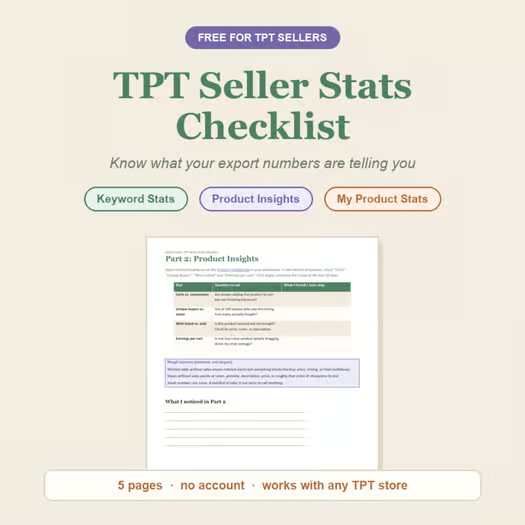
This free checklist helps TPT sellers make sense of their own Seller Dashboard exports: Keyword Stats, Product Insights, and My Product Stats, without guesswork.
Numbers like “12% conversion” or “40 wishlist saves, 2 sales” don’t explain themselves. Most sellers either ignore their stats or over-interpret them. This checklist gives you the actual questions to ask at each stat, so you can tell the difference between a keyword that’s working and one that’s just getting clicks, or a product that needs a new cover versus one that just needs time.
📊 Walkthrough: what each answer points at — a worked example of every part of this checklist
Working through it, you’ll go stat by stat through three of your own reports, write down what you notice, and end up with a short list of what to look at first instead of a wall of numbers.
This is a low-effort worksheet, not a course. It doesn’t tell you what your numbers should be. It gives you a repeatable way to read them yourself, whatever your niche or store size.
Useful for any TPT seller who wants a clearer read on their Seller Dashboard exports, whether you’re just starting out or managing a large catalog.
📦What’s included:
- Keyword Stats checklist: spotting keywords that convert versus keywords that just get clicks
- Product Insights checklist: reading carts vs. conversions and wishlist vs. sold
- “Quiet Underperformer” checklist: finding the product quietly dragging your shop average down
- Rough anchors on each part: what a pattern tends to point at, so you’re not guessing at causes
- Space to log what you find and what to try next
- 5 pages, print it or type into it on screen with your PDF reader’s fill and sign tool
How to use this:
- Takes about 10 to 15 minutes
- Set your date range to the last 90 days first: the dashboard often defaults to 30, which is often too short to show much
- No spreadsheet or extra software required
- Works with your Seller Dashboard open in a tab, or your exported CSVs
- Each part links straight to the matching report in your dashboard
- Repeatable: use it again after every new export
What makes this checklist useful is that it treats your stats as a starting point for questions, not a verdict. Instead of asking whether your conversion rate is good or bad in the abstract, you look at what’s actually happening product by product and keyword by keyword, and decide what’s worth your time this week.
Built by the creator behind Signal Loom, a tool that reads these same exports automatically. This checklist is the manual version.
🔗 Connect with me
📖 Blog dive deeper into the topics my store contains
🔀 Follow the store to hear about new resources

Join The Best of Teacher Entrepreneurs Marketing Cooperative at
https://thebestofteacherentrepreneursmarketingcooperative.net/the-best-of-teacher-entrepreneurs-marketing-cooperative-one-year-membership/
and get THOUSANDS OF PAGE VIEWS for your TpT products!
Go to http://www.pinterest.com/TheBestofTPT/ for even more free products!